
Your library stays on your own desk.
Sard is a desktop ebook reader for EPUB and PDF. There is no account, no sync service and no telemetry — your books, your reading positions, your notes and your highlights live on your own machine.
مكتبتك تبقى معك، على جهازك.
سَرْد قارئ كتب إلكترونية لسطح المكتب، يفتح ملفّات EPUB وPDF. دون تسجيلٍ ولا مزامنةٍ ولا تتبُّع؛ فكتبك ومواضع قراءتك وملاحظاتك وتظليلاتك لا تغادر جهازك.
MSI package Release notes Source on GitHub
Sard for phones is still being tested: it may have bugs and change from one version to the next, so keep copies of your own books. It needs Android 7 or later.
حزمة MSI ملاحظات الإصدار الشفرة المصدرية على GitHub
سَرْد للجوال ما زال في مرحلة الاختبار: قد تظهر فيه أخطاء أو يتغيّر سلوكه بين نسخة وأخرى، فاحتفظ بنسخ من كتبك. يعمل على أندرويد 7 أو أحدث.
A look for every reader
A look carries the whole appearance — library and reading colours, fonts, the picture behind your books, the shape of your marks — and travels as a single file you can share. Choose one, and this page wears it too.
هيئةٌ لكلّ قارئ
تحمل الهيئة مظهر سَرْد كلّه: ألوان المكتبة والقراءة، والخطوط، والصورة خلف كتبك، وشكل علاماتك، وتنتقل في ملفّ واحد تشاركه مع غيرك. اختر واحدةً، وستلبسها هذه الصفحة أيضًا.
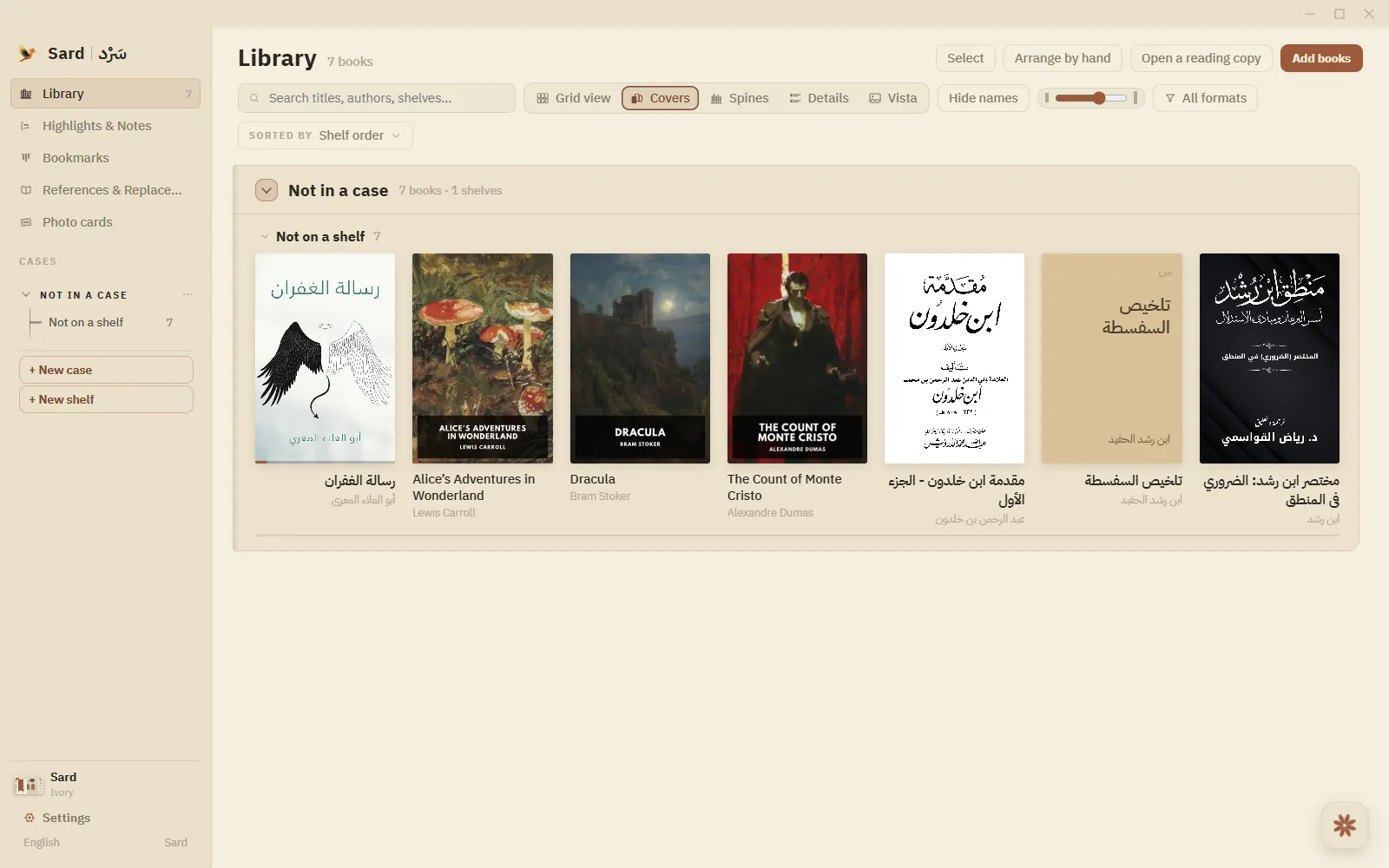
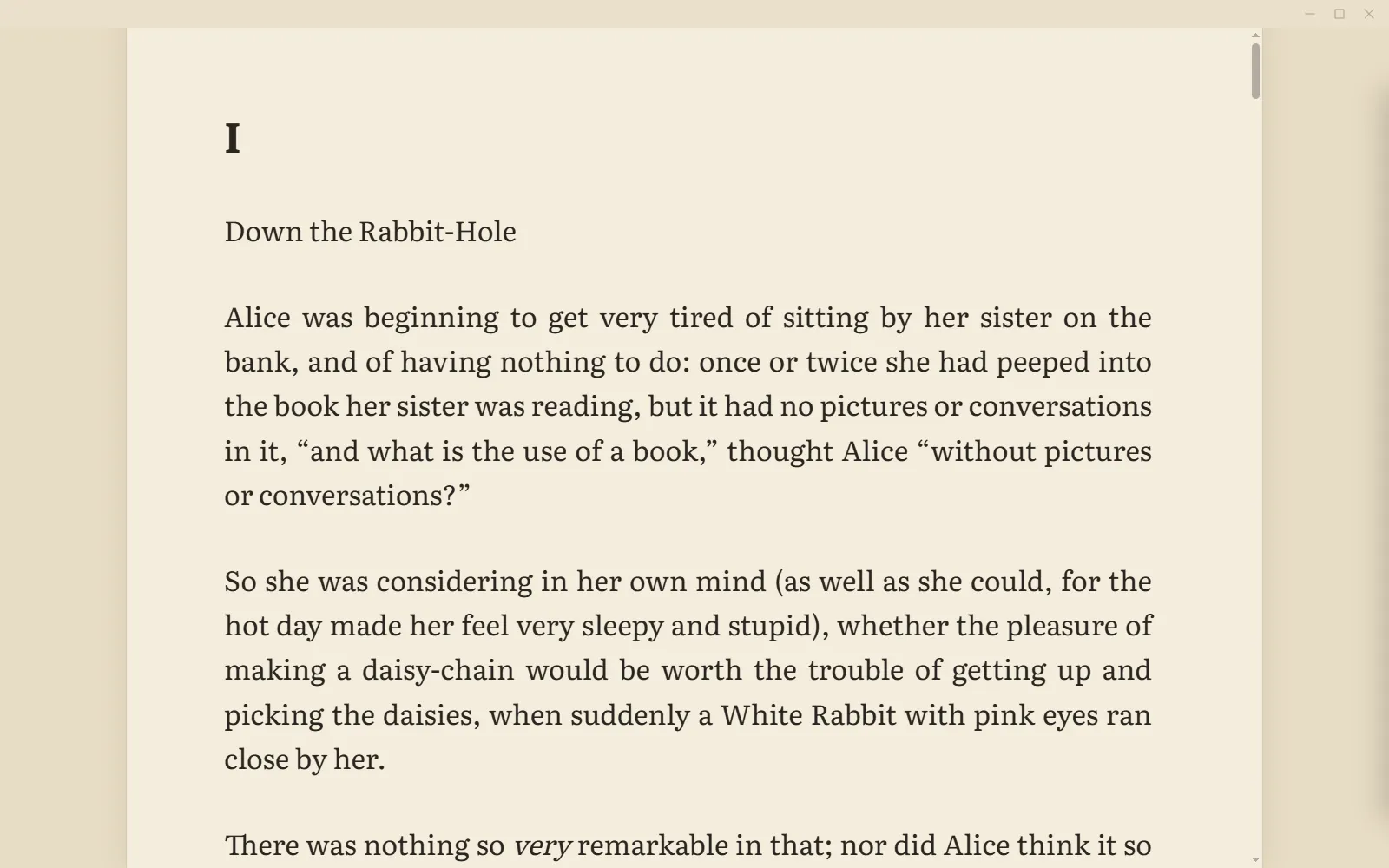
Sard. The default paper — warm ivory, for long reading by day.
Or make your own. In Sard every colour is yours to change — the library, the page, the ink, the accent — and any picture you like can sit behind your books and behind the page you are reading. Choose your fonts and the shape of your marks too, then keep the result as a look of your own, or share it as a single file. There are no limits: what Sard looks like is entirely up to you.
أو اصنع هيئتك بنفسك. في سَرْد كلّ لونٍ لك أن تغيّره: المكتبة والصفحة والحبر ولون التمييز، وأيّ صورة تحبّها يمكن أن تكون خلف كتبك وخلف الصفحة التي تقرؤها. واختر خطوطك وشكل علاماتك أيضًا، ثمّ احفظ ذلك هيئةً لك، أو شاركها في ملفّ واحد. لا قيود في ذلك: مظهر سَرْد لك وحدك، وأنت حرّ فيه تمامًا.
See it before you install it
What Sard does once a book is open — real screens, not mock-ups.
شاهِده قبل أن تثبّته
ما يفعله سَرْد حين يُفتح الكتاب، في لقطات حقيقية لا تصاميم متخيَّلة.


Read aloud. The spoken sentence is lit and the current word marked, with voice and speed at hand.القراءة الصوتية. تُضاء الجملة المنطوقة وتُعلَّم الكلمة الجارية، والصوت والسرعة في متناول يدك.
Notes. Write on any passage, with its colour, ink and tags kept in the margin.الملاحظات. اكتب على أيّ مقطع، ولونُه وحبرُه ووسومُه محفوظة في الهامش.
Spoiler-safe search. Matches past your place stay sealed until you ask to see them.بحث بلا حرق. النتائج التي تتجاوز موضعك تبقى مختومةً حتى تطلب رؤيتها.
Photo cards. Set a passage on a card, then save it, export it or copy it.البطاقات المصوّرة. ضع مقطعًا على بطاقة، ثمّ احفظها أو صدّرها أو انسخها.
Terms of Service
What you may do with Sard, and the few things the project asks in return. Short, open and readable in a couple of minutes.
شروط الاستخدام
ما لك أن تفعله بـسَرْد، وما يرجوه المشروع في المقابل. شروط قصيرة وواضحة، تقرؤها في دقيقتين.
Privacy Policy
Exactly what Sard stores, where it stores it, and every occasion on which anything leaves your device.
سياسة الخصوصية
ما الذي يحفظه سَرْد وأين يحفظه، وكلّ حالة يغادر فيها شيءٌ جهازك.
What’s new
Each release is published with notes on what changed and why.
الجديد
يُنشَر كلّ إصدار مع ملاحظات تشرح ما تغيّر ولماذا.
Report an issue
A bug, an idea, a question, or anything about the Terms or the Privacy Policy. The form fills in GitHub's report for you.
الإبلاغ عن مشكلة
علّة أو فكرة أو سؤال أو أيّ أمر يخصّ الشروط وسياسة الخصوصية. تملأ الاستمارةُ بلاغَ GitHub عنك.
How Sard handles your reading
- Your books, reading positions, bookmarks, highlights and notes are stored on your own device.
- There is no account to create, and nothing to sign in to.
- No analytics, no telemetry, no advertising, and nothing sold to anyone.
- Read-aloud is the one feature that sends text off your device — to Microsoft's voice service, and only while you are listening.
The Privacy Policy sets all of this out properly, including what update checks involve.
كيف يتعامل سَرْد مع قراءتك
- كتبك ومواضع قراءتك وفواصلك وتظليلاتك وملاحظاتك محفوظة على جهازك وحده.
- لا حساب تُنشئه ولا تسجيل دخول.
- لا تحليلات ولا تتبُّع ولا إعلانات، ولا بيع لبياناتك لأيّ جهة.
- القراءة الصوتية وحدها تُرسل نصًّا خارج جهازك، إلى خدمة الأصوات من مايكروسوفت، وما دمتَ تستمع فحسب.
تشرح سياسة الخصوصية ذلك كلّه بالتفصيل، وفيها ما يجري عند التحقّق من التحديثات.